Physical Address
304 North Cardinal St.
Dorchester Center, MA 02124
Physical Address
304 North Cardinal St.
Dorchester Center, MA 02124

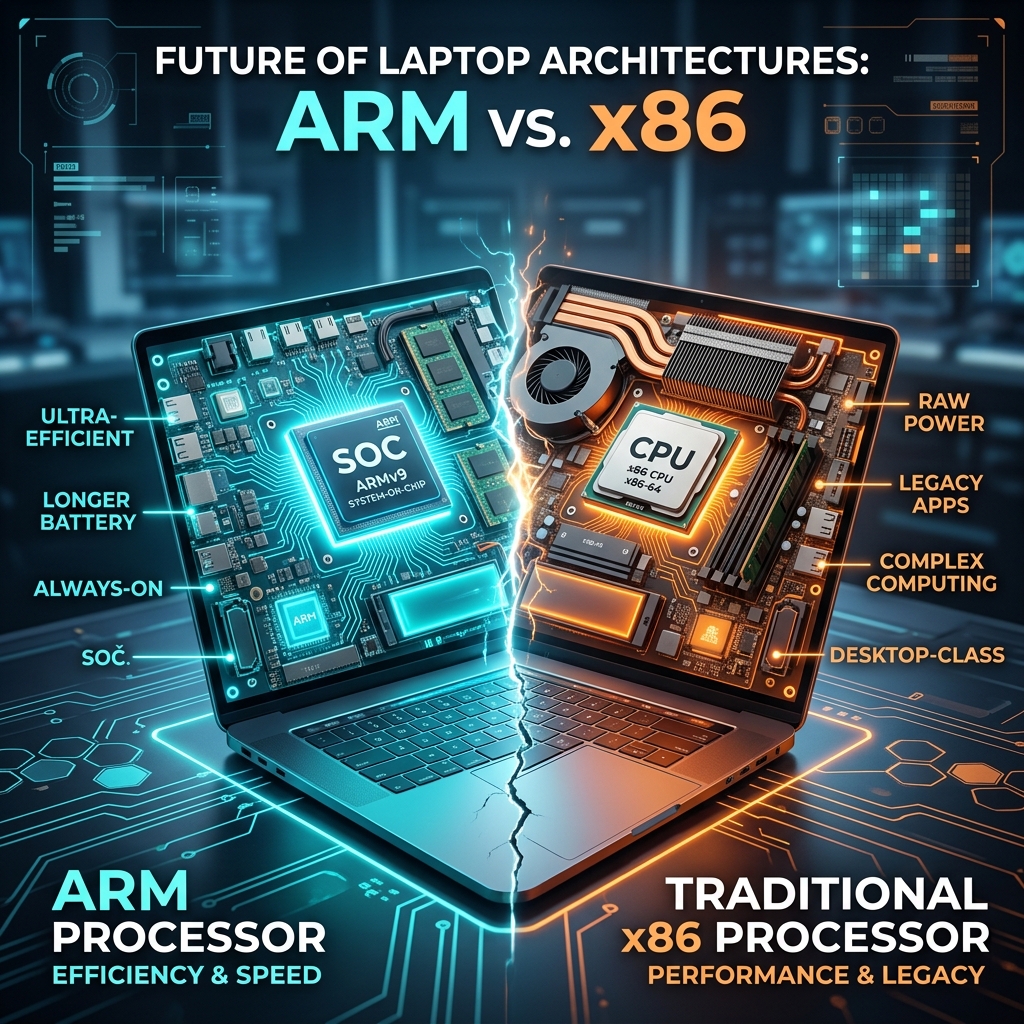
For more than three decades, the personal computer landscape was defined by a single, monolithic standard: the x86 instruction set architecture. Crafted by Intel and later cross-licensed by AMD, x86 was the undisputed engine of the PC revolution. But as we navigate through 2026, we are witnessing the most significant architectural disruption in PC history. The battle lines are drawn between traditional arm vs x86 laptops, leaving buyers, developers, and tech enthusiasts with a critical decision to make before purchasing their next computer.
The catalyst for this shift was Apple’s highly successful transition to its custom ARM-based Apple Silicon (M-series chips). This move proved that ARM processors could offer incredible performance while maintaining a fraction of the power consumption of traditional x86 laptops. Today, Windows users have a real choice. With Qualcomm’s Snapdragon X Series, Intel’s revolutionary Lunar Lake, and AMD’s Ryzen AI processors, the processor inside your laptop is no longer just a detail—it defines how you work, how long your battery lasts, and whether your software runs natively.
In this comprehensive, 2000-word architectural deep-dive, we will compare Snapdragon X Elite (ARM) against the latest x86 offerings from Intel (Lunar Lake) and AMD (Ryzen AI) across performance, software compatibility, battery life, and AI capabilities to help you decide which side of the architectural divide you belong on.
Before we compare specific processors, we must understand the fundamental engineering differences between ARM and x86 architectures. At their core, these two technologies represent completely different philosophies on how a processor should execute software code.
The x86 architecture is a Complex Instruction Set Computer (CISC) design. CISC architecture is built to execute complex, multi-step instructions in a single cycle. A single x86 instruction can perform multiple database operations, math calculations, and memory retrievals at once. This makes x86 incredibly powerful and flexible, especially for legacy software, complex gaming engines, and high-performance workstation apps. However, decoding these complex instructions requires significant electrical power and physical space on the silicon chip, resulting in higher heat production and shorter battery life.
ARM (Advanced RISC Machines) is a Reduced Instruction Set Computer (RISC) design. Rather than executing complex instructions directly, an ARM processor breaks down every task into small, simple, single-step instructions. Because these instructions are simple, the processor’s decoding hardware can be incredibly small and power-efficient. This efficiency allows ARM chips to run cool, consume minimal standby power, and achieve battery life figures that were once thought impossible for thin-and-light laptops. However, to run legacy CISC (x86) software, an ARM processor must use a software translation layer, which can introduce performance overhead.
To understand the current state of arm vs x86 laptops, we must analyze the three dominant processing platforms available in the market today. Each manufacturer has taken a fundamentally different path to balance raw speed, battery life, and thermal efficiency.
Qualcomm’s entry into the premium laptop space has been a game-changer. Powered by their custom-designed Oryon CPU cores, the Snapdragon X Series is built on a 4nm process. Unlike previous underpowered attempts at Windows on ARM, the Snapdragon X Elite matches or exceeds the multi-core performance of high-end Intel and AMD chips while drawing significantly less power. It also features a class-leading Neural Processing Unit (NPU) capable of 45 TOPS (Trillion Operations Per Second), satisfying Microsoft’s strict requirements for the Copilot+ PC designation.
For more details on Qualcomm’s architecture, you can read their official documentation at Qualcomm.
Faced with the ARM threat, Intel went back to the drawing board for Lunar Lake. Rather than prioritizing raw core counts, Intel redesigned the microarchitecture to optimize efficiency above all else. Intel removed Hyper-Threading entirely, moved to TSMC’s ultra-efficient N3B manufacturing node, and integrated the system memory (RAM) directly onto the processor package (similar to Apple’s M-series). The result is a chip that offers x86 compatibility with standby power consumption and battery life that rivals ARM, representing the biggest efficiency leap in Intel’s history.
To learn more about Intel’s engineering innovations, visit Intel.
AMD’s approach centers around offering the highest possible multi-core performance and integrated graphics without sacrificing daily efficiency. Powered by Zen 5 and Zen 5c cores in a hybrid layout, the Ryzen AI 9 Series is built on TSMC’s 4nm node. AMD has integrated the powerful Radeon 890M GPU based on the RDNA 3.5 architecture, making it the clear choice for users who want to play modern games or edit 4K video on their thin-and-light laptops. Its XDNA 2-based NPU delivers up to 50 TOPS, exceeding both Qualcomm and Intel in raw AI compute power.
When comparing arm vs x86 laptops, performance is no longer a one-dimensional metric. We must evaluate how these processors perform across three distinct computing units: the CPU (general processing), the GPU (graphics and rendering), and the NPU (artificial intelligence tasks).
In single-threaded tasks, all three platforms are extremely competitive. Qualcomm’s custom Oryon cores deliver blazing-fast burst speeds, making web browsing and app launches feel instantaneous. Intel’s Lunar Lake excels in single-core efficiency, while AMD’s Ryzen AI dominates multi-threaded workloads due to its higher physical core count (up to 12 cores / 24 threads).
Graphics rendering remains a major differentiator between these architectures. AMD’s Radeon 890M integrated graphics lead the pack, offering playable frame rates in modern AAA games at 1080p resolution. Intel’s Arc Xe2 GPU in Lunar Lake makes massive strides, offering smooth performance and excellent driver stability. Qualcomm’s Adreno GPU is capable in native applications, but struggles in gaming due to the double performance penalty of translating x86 game engines and graphics APIs (like DirectX 12) to ARM.
All three platforms meet the 40+ TOPS threshold required for local AI execution on Windows. While AMD leads in peak NPU throughput (50 TOPS), Qualcomm’s Snapdragon platform is currently the most tightly optimized for Windows Copilot+ features like Recall, Live Captions, and Cocreator, because Microsoft co-developed these features on Qualcomm hardware.
Historically, x86 laptops struggled to last a full workday without a charger. ARM laptops have turned battery life into their primary selling point. However, the latest x86 chips have closed the gap significantly.
In standard video playback and web browsing tests, Snapdragon X Elite laptops can regularly achieve 18 to 22 hours of active battery life. Thanks to the package-integrated RAM and architectural redesign, Intel’s Lunar Lake matches this, often reaching 20 hours of continuous use. AMD’s Ryzen AI averages a respectable 14 to 16 hours, sacrificing some battery life for higher multi-core performance.
Where ARM continues to hold a distinct advantage is in **standby power draw**. When you close the lid of a Snapdragon laptop, it consumes almost zero battery, allowing you to open it days later with the same charge level. Traditional x86 laptops still suffer from occasional background battery drain during sleep, although Lunar Lake has improved this behavior considerably.

For most buyers, the decision between arm vs x86 laptops comes down to a single question: Will my apps run? While the hardware of ARM laptops is outstanding, the software ecosystem remains a work in progress.
If your daily workflow consists of web browsers (Chrome, Edge, Firefox), office productivity tools (Microsoft 365, Google Workspace), communication apps (Slack, Teams, Zoom), and streaming services (Netflix, Spotify), you will experience flawless performance on an ARM-based Snapdragon laptop. These apps run natively on ARM, making full use of the hardware’s speed and efficiency.
For apps that have not been compiled for ARM, Windows 11 uses a translation layer called PRISM. PRISM acts as a real-time translator, converting x86 code into ARM instructions. While PRISM is incredibly fast—often running x86 apps at 80% to 90% of their native speed—it introduces a CPU overhead that reduces battery life and increases system temperatures.
Certain classes of software cannot run through emulation. These include:
If you rely on these tools for your professional work, an x86 laptop powered by Intel Lunar Lake or AMD Ryzen AI remains the only viable choice. For secure remote connections on either platform, check our guide on do you need a vpn to ensure your network traffic remains secure regardless of your CPU architecture.
To help you weigh the pros and cons of arm vs x86 laptops, here is a direct comparison of the three primary processing platforms available in 2026:
| Feature | Qualcomm Snapdragon X (ARM) | Intel Lunar Lake (x86) | AMD Ryzen AI (x86) |
|---|---|---|---|
| Architecture | ARM64 (Native RISC) | x86-64 (CISC) | x86-64 (CISC) |
| Battery Life | Outstanding (18-22 hrs) | Excellent (18-20 hrs) | Good (12-16 hrs) |
| Standby Efficiency | Best (Smartphone-like) | Very Good | Average |
| App Compatibility | Limited (PRISM Emulation) | Perfect (100% Native) | Perfect (100% Native) |
| Gaming Performance | Poor (Driver & translation issues) | Good (Arc Xe2) | Outstanding (Radeon 890M) |
| Peak Multi-Core | High | Moderate | Highest |
To conclude our comparison of arm vs x86 laptops, let us translate these technical specifications into direct purchasing recommendations based on your daily work habits.
If you do decide to travel with your new laptop, make sure to plan ahead using our comprehensive how to find cheap flights guide to secure the best travel deals.
The choice between arm vs x86 laptops in 2026 is no longer about which architecture is “better.” Instead, it is about matching the processor’s strengths to your personal workflow. For light users, writers, and general business professionals, ARM offers an unmatched, smartphone-like experience with battery life that lasts days. For power users, creators, developers, and gamers, x86 remains the undisputed king of software compatibility and raw compute power. Fortunately, with manufacturers pushing boundaries on both sides, the real winner of this architecture war is the consumer.